Skip to the content
Backtrack
Home›DocumentsToday (Now)
Recipes
odtGarden club newsletter.odt
jpgharbour.jpg
odtHoliday plans.odt
txtShopping list.txt
pdfTax return 2025.pdf

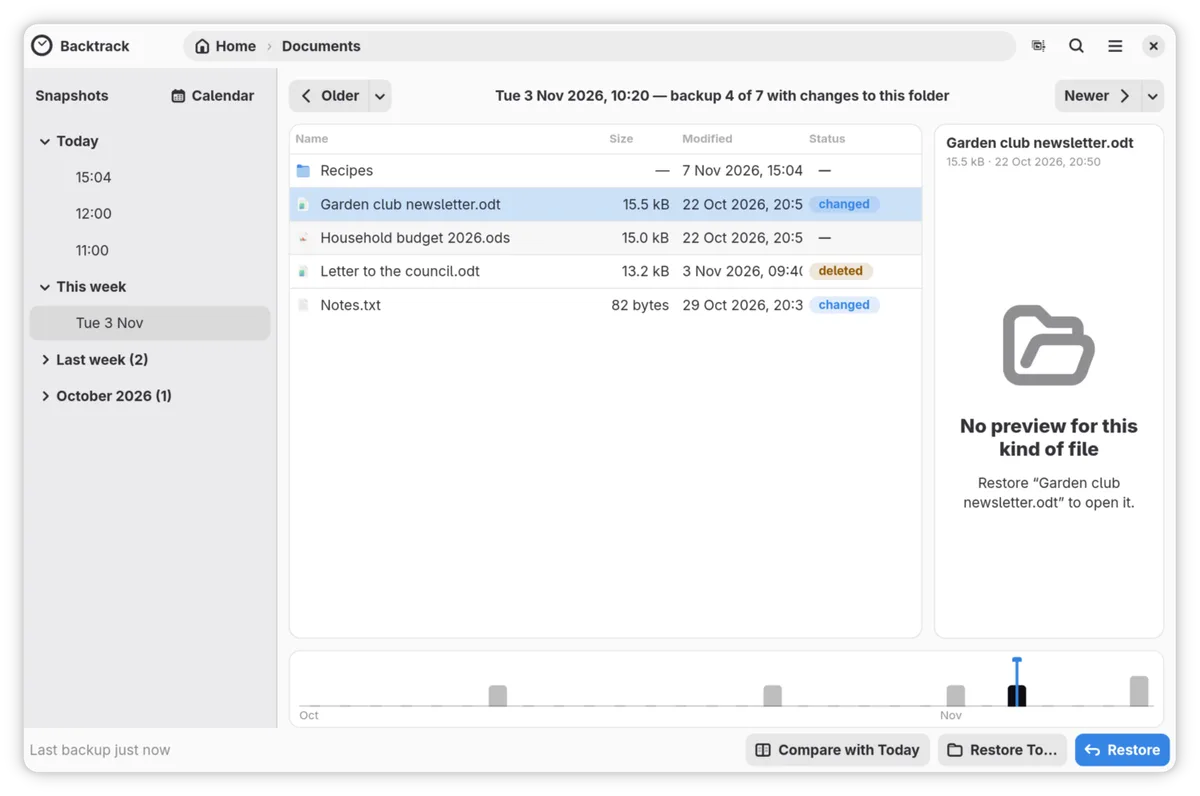
Browse your files as they were.

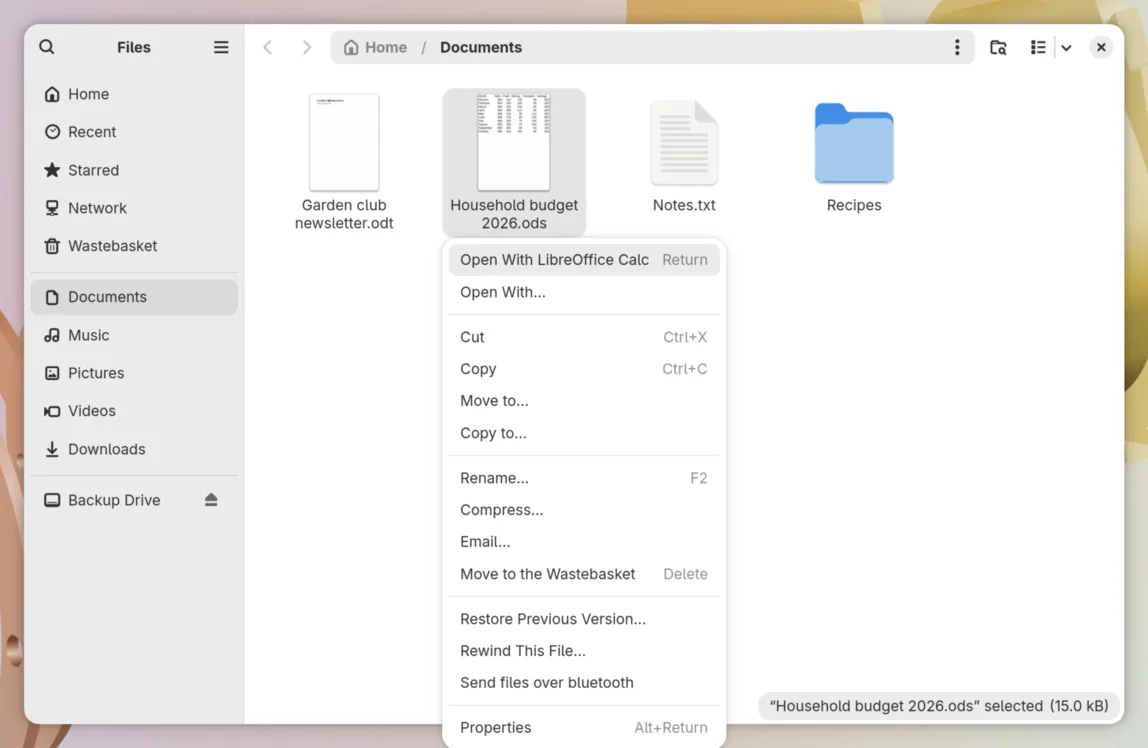
Backtrack backs up your files every hour. When one goes missing or gets spoiled, you open its folder as it was this morning, or last Tuesday, find the file, and bring it back.

Today (Now)The folder as it is now

This is Rewind. Use the timeline or the ↑ ↓ keys to go back in time.This is Rewind. Swipe the card to go back in time.

14:00Backup 1 of 13

It’s usually one of these.

Five things that happen to people
13:00Backup 2 of 13

Rewind.

  • ↑One backup back
  • ↓One forward
  • HomeToday
  • EndThe oldest
  • Ctrl+TRewind, from Backtrack’s window
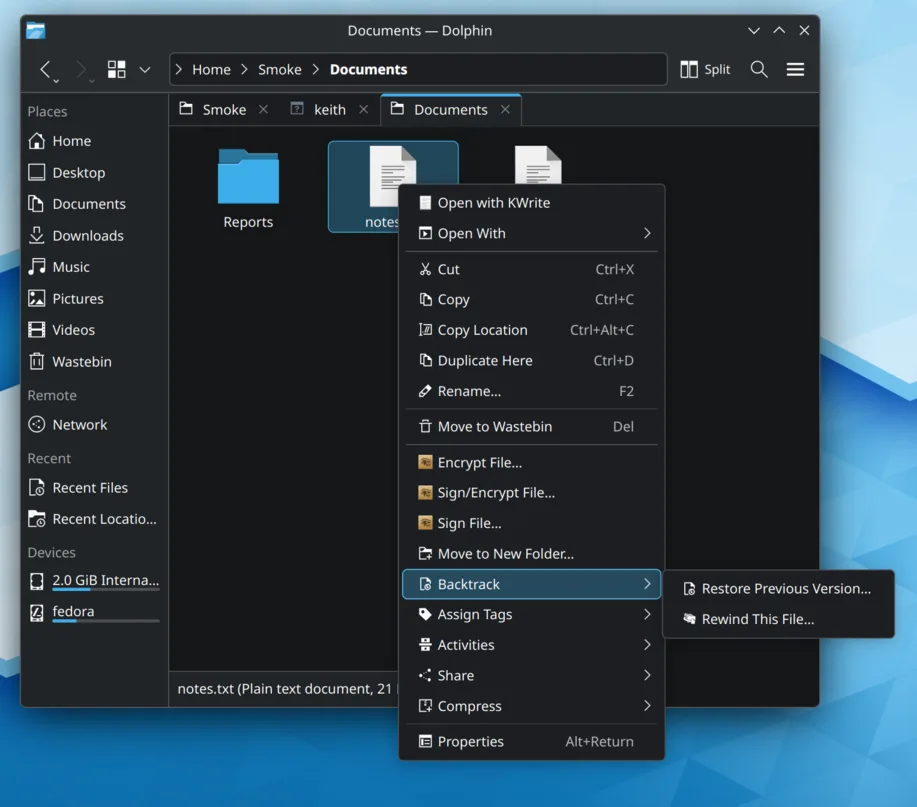
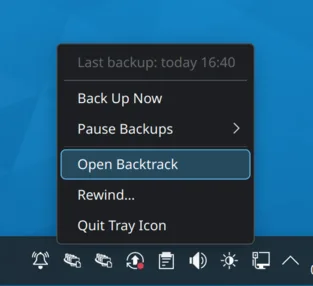
  • It also opens from GNOME Files, Dolphin, the tray, and Backtrack’s icon in your app list.
12:00Backup 3 of 13

A restore can’t make things worse.

Both dates

When a file is in the way, Backtrack shows when each copy was last changed, and which is newer, before you choose.

Keep Both

The backup’s version takes the name, and yours stays beside it with “(current)” added.

Undo

Until you restore something else, the bar under the window’s header offers Undo, which puts everything back as it was.

Nothing deleted

Every file a restore replaces goes to Recently Replaced Files, and stays there for up to thirty days.

11:00Backup 4 of 13

Backups that look after themselves.

One day on a laptop, hour by hour.

Every hour

While you’re logged in, Backtrack backs up once an hour without you pressing anything.

10:00Backup 5 of 13

At home on GNOME and KDE.

Also Hyprland and COSMIC and Xfce and Cinnamon and MATE and Sway and ...

09:00Backup 6 of 13

Built on Borg, and yours to keep.

  • Your backups are BorgBackup repositories, encrypted on this computer before they leave it and deduplicated, so each hour stores only what changed.
  • If Backtrack vanished tomorrow, Borg alone could still open them.
  • When you set it up, you save a recovery key: a copy of your backups’ key. If the copy kept with the backups is ever damaged, the recovery key and your passphrase open them again.
  • Backtrack has no telemetry. Your backups go where you send them, and nothing else leaves your computer.
  • It’s free software under the GPL-3.0-or-later, and all of it is on GitHub.
Wed 17:00Backup 7 of 13

Your files, not your system.

What Backtrack keeps

Your documents, pictures, music, downloads and desktop, with your app settings and your SSH and GPG keys, every hour. You can pick other folders instead.

  • Documents
  • Pictures
  • Music
  • Downloads
  • Desktop
  • App settings
  • SSH and GPG keys

What it leaves alone

The system itself: its programs, settings and updates. Timeshift looks after that, or Snapper on btrfs. If you use Snapper, Backtrack shows its snapshots in the timeline too.

  • Programs
  • System settings
  • Updates
Wed 15:00Backup 8 of 13

Questions people ask first.

Can it open my Vorta or Pika Backup backups?
Yes. Choose Already have backups? when you set it up and point it at them. It leaves their own backups alone.
Where can my backups go?
A USB drive, a network folder, or a server over SSH.
Will it run on my computer?
Yes, if it runs GNOME, KDE Plasma, Hyprland, COSMIC, Xfce, Cinnamon, MATE or Sway. There are packages for Fedora 44 and later, Ubuntu 26.04 and later and Arch Linux, and the Flatpak runs on any distribution.
--:--Before the first backup

Get Backtrack.

One command

For any distribution
curl -fsSL https://backtrack.tools/install.sh | bash

It works out the right way for your computer, shows you what it will do, and installs nothing until you say yes.

What this script does →

Any distribution

The Flatpak, from FriendlyHub
flatpak install --user https://dl.friendlyhub.org/repo/appstream/tools.backtrack.Backtrack.flatpakref

Fedora 44+

COPR
sudo dnf copr enable keithvassallo/backtrack
sudo dnf install backtrack

Ubuntu 26.04+

PPA
sudo add-apt-repository ppa:keithvassallomt/backtrack
sudo apt install backtrack

Arch Linux

AUR
yay -S backtrack
Every way, step by step →